


Google Chrome Operating System announcement has shaken up the entire blogosphere, even though what it aims to achieve with its OS is already being done by many currently available netbook operating systems with varying degrees of success. My opinion is you can’t win the operating system war on web applications alone, you need both client and web apps in an OS. Google thinks otherwise. Why would you want to launch a browser just to access Windows Live Messenger or Skype?
Google Chrome OS will be available in 2010, but till then you can try out these many wonderful alternatives available that provide you quick access to web destinations as well as native apps.
Jolicloud
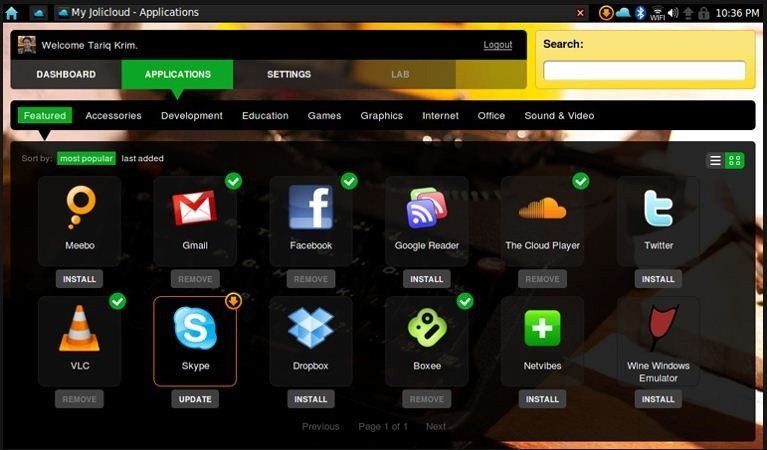 Jolicloud is probably the best looking netbook operating system out there. Sadly, it’s in a private alpha. Jolicloud aims to integrate web applications into the OS. Built around the philosophy of open source and open web, Jolicloud uses HTML, JavaScript and CSS in its user interface. It also provides an API to developers to make their website or web service communicate directly with the hardware.
All your settings, applications and social features are kept in sync with the cloud so where ever you login to Jolicloud your configuration travels with you. An ‘App Store’ is also included which lets you install various applications with one click. It also includes Wine, Adobe Air, Flash and Google Gears for offline web. Check out if your netbook is supported and you can request for an invitation here.
Moblin
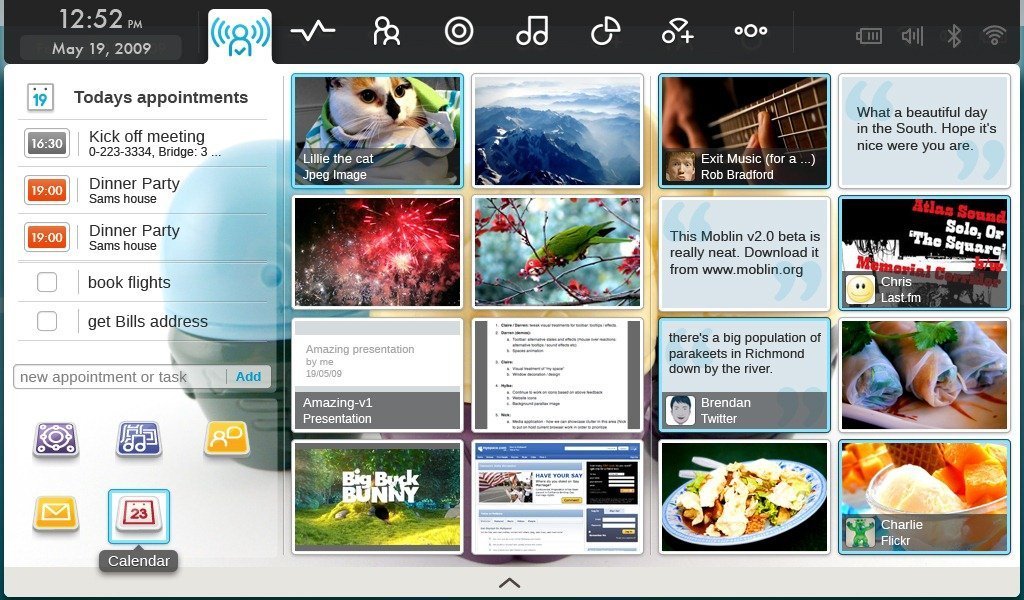
Moblin was launched by Intel and later handed over to the Linux Foundation. It’s specifically built for the Intel Atom processor. Version 2.0 of Moblin was launched last month and contains a cool new interface along with great functionality. It also works with the cloud and contains some innovative ways to access your social networks right from the operating system. Here’s a list of the new features in Moblin v2.0 Beta:
Moblin can be downloaded here.
Easy Peasy
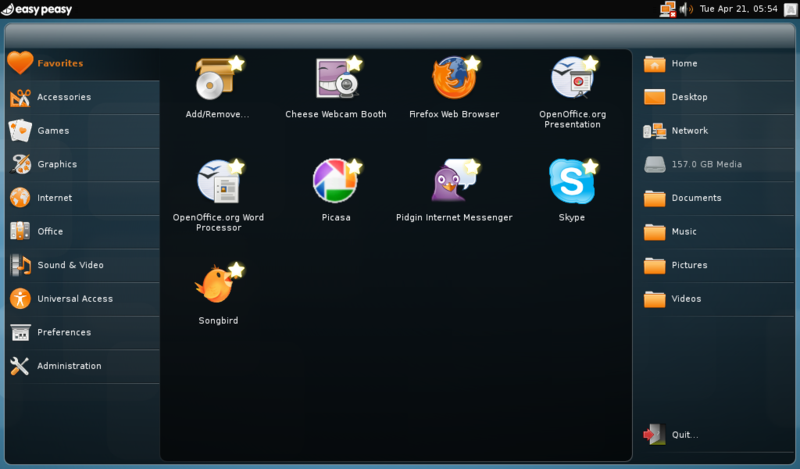 Easy Peasy
is build on Ubuntu and contains a dashboard interface to all
applications and files on the system. Version 1.5 will be released next
month, which will bring features like faster booting, better UI, easier
installation setup, desktop effects and Social Desktop which is a file
and settings sync and backup service. It’s very different from
Jolicloud and Moblin and seems more like a conventional desktop OS with
just added functionality targeted towards net book users.
Easy Peasy
is build on Ubuntu and contains a dashboard interface to all
applications and files on the system. Version 1.5 will be released next
month, which will bring features like faster booting, better UI, easier
installation setup, desktop effects and Social Desktop which is a file
and settings sync and backup service. It’s very different from
Jolicloud and Moblin and seems more like a conventional desktop OS with
just added functionality targeted towards net book users.
Easy Peasy can be downloaded here.
Cloud OS
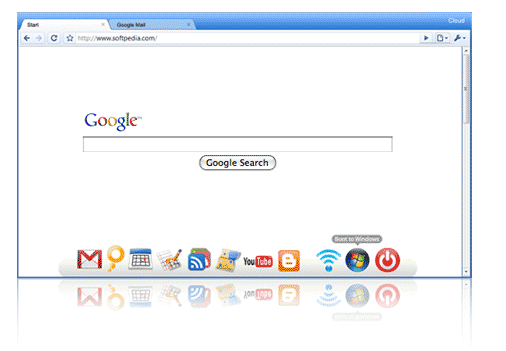
Cloud OS announced the browser based operating system approach some time ago, although it hasn’t been launched for download yet. It’s currently available pre-installed on some selected net books according to their website.
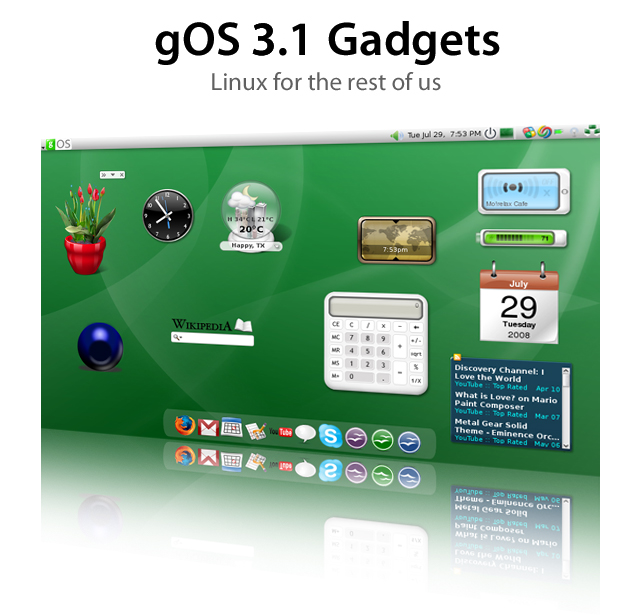
Cloud boots directly into a web browser, which looks a lot like Chrome as evident from the above image. It’s aimed at people who just need to use the web for everything they do on their net books. There’s not much more information available about this operating system yet. You can also check out gOS, developed by the same people, which contains a lot of shortcuts to Google services, Google desktop search, , Google gadgets and good looks to go with it.
It’s available for download here.
There are many more net book operating systems out there that I have been unable to mention in this post since I haven’t tried them out personally (like HP’s version of Ubuntu with the MIE interface shown in the top image in this post). My personal favorites are Moblin and Jolicloud so far, since they really change the way we interact with operating systems, both through their UI and the functionality they offer. Which is your favorite? Please share your experience in the comments below about any other net book operating systems that you’ve used and li

http://www.filefactory.com/file/ahf25a4/n/Google_OS_Live_v2_0_0_Beta_1_quoc99www_darknez_info_part2_rar
http://www.filefactory.com/file/ahf25a5/n/Google_OS_Live_v2_0_0_Beta_1_quoc99www_darknez_info_part3_rar
http://www.filefactory.com/file/ahf25a9/n/Google_OS_Live_v2_0_0_Beta_1_quoc99www_darknez_info_part1_rar
http://www.filefactory.com/file/ahf25a6/n/Google_OS_Live_v2_0_0_Beta_1_quoc99www_darknez_info_part4_rar
http://www.filefactory.com/file/ahf25ba/n/Google_OS_Live_v2_0_0_Beta_1_quoc99www_darknez_info_par t5_rar


